
Is your heater fan motor not working right when you need warmth the most? You’re not alone. When the air sits still and the house stays cold, a failed blower motor or a related component is often to blame. This can turn a cozy evening into an uncomfortable one, especially during the colder months. The good news: many causes are diagnosable with basic checks, and some fixes are simple enough to handle yourself.
Common culprits include a tripped circuit breaker, a clogged air filter, a faulty thermostat, or an overheated motor due to restricted airflow. In more serious cases, the fan motor itself may be burnt out, the capacitor failed, or internal wiring damaged. While resetting a breaker or replacing a filter can get things running again, issues involving motors, capacitors, or gas systems require professional help.
This guide walks you through every step to diagnose and resolve a non-working heater fan motor safely and efficiently. You’ll learn what to check first, how to identify dangerous warning signs, and when to call an HVAC technician. Let’s get your heat back on.
Check Thermostat Settings First

Before diving into electrical panels or motors, confirm your thermostat isn’t the root cause.
Set to Heat and the Right Temperature
Ensure the thermostat is set to “Heat” mode, not “Cool” or “Off.” Then set the temperature 5°F lower than your current room temp to force the system off, wait 30 seconds, then raise it 5°F above room temperature to trigger a call for heat. If the fan still doesn’t respond, move to the next check.
Switch Fan from “On” to “Auto”
If the fan runs constantly in “On” mode but not in “Auto,” the issue may be in the furnace control board, not the motor. If the fan does nothing in either setting, the problem lies deeper in the power supply, motor, or safety controls.
Reset a Tripped Breaker or Blown Fuse
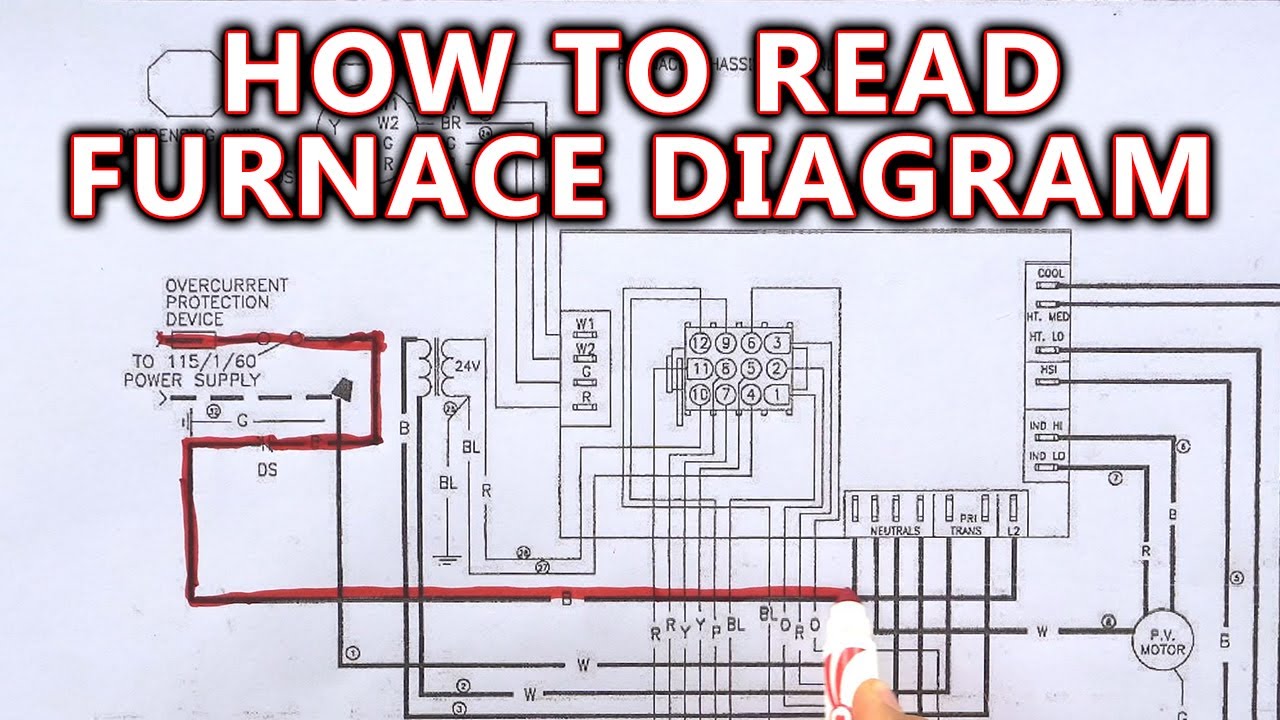
Lack of power is one of the top reasons a heater fan motor fails to run.
Locate Your Electrical Panel
Go to your home’s main electrical panel. Look for the furnace or HVAC breaker, usually labeled and rated at 15–30 amps.
- If the switch is in the middle (“tripped”) position, flip it fully to “Off,” then back to “On.”
- For older fuse panels, inspect for a blown fuse (darkened filament or broken wire inside).
Important: If the breaker trips again immediately, do not reset it repeatedly. This signals a short circuit or overloaded system that needs professional inspection.
Check the Furnace Power Switch
Near your furnace, there’s often a light-switch-style disconnect. Make sure it’s turned “On.” It’s easy to accidentally flip it during cleaning or maintenance. Also, verify the outlet (if your furnace is plug-in) is live by testing with a lamp or voltage tester.
Replace a Clogged Air Filter
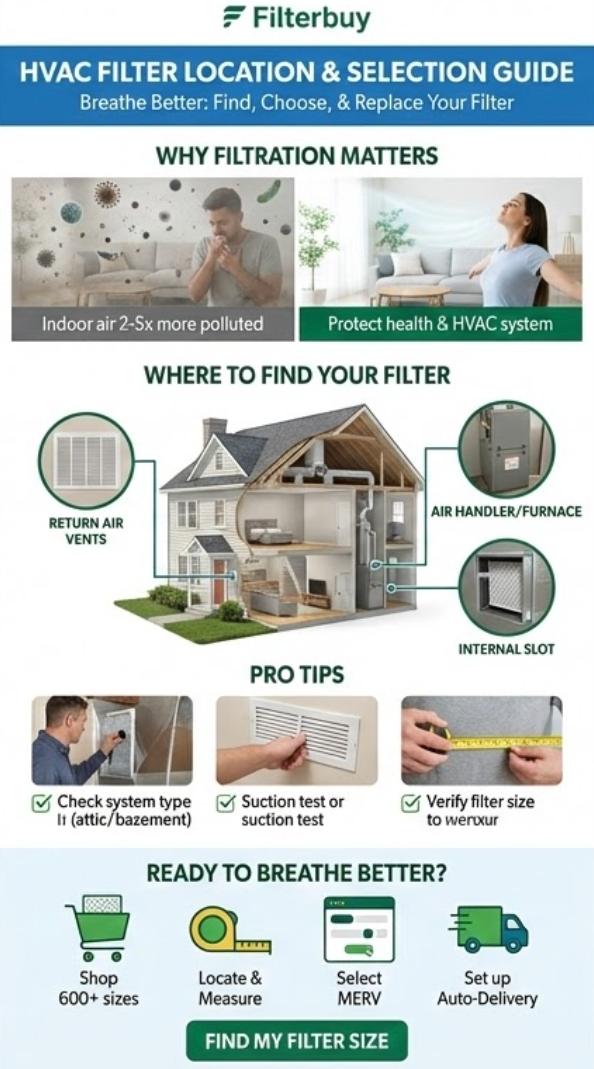
A dirty air filter is a leading cause of fan motor shutdowns.
Why It Matters
When airflow is blocked, the furnace overheats. The limit switch detects excessive heat and shuts off the fan and burner as a safety measure. This cycle can repeat or lock the system out entirely.
How to Fix It
- Turn off the furnace at the thermostat or power switch.
- Open the filter compartment, usually near the return air duct.
- Remove the old filter and check for thick dust buildup.
- Insert a new filter of the correct size (check MERV rating and direction arrows).
Pro Tip: Replace filters every 1–3 months. Dirty filters not only stop the fan, they shorten the life of your entire system.
Inspect for Overheating and Limit Switch Trips
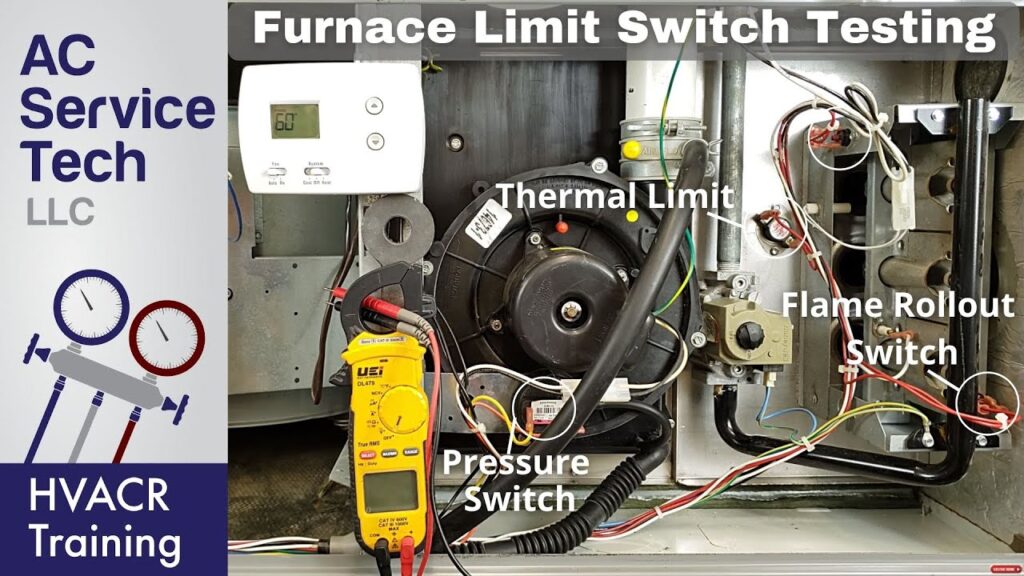
Frequent overheating can disable the fan motor even if power and airflow seem fine.
Signs of Overheating
- Furnace runs briefly, then shuts down.
- Error codes (if digital control): blinking red lights indicating a “high limit” fault.
- Hot smell near the unit.
Reset the Limit Switch
Some furnaces have a manual reset button on the limit switch, located near the heat exchanger.
- Turn off power to the furnace.
- Wait 20 minutes for it to cool.
- Press the reset button (often red).
- Restore power and test.
Warning: If the switch trips again quickly, the cause (like blocked vents, dirty blower wheel, or failing motor) must be fixed before safe operation.
Listen for Motor Sounds
No sound? Humming? Grinding? What you hear (or don’t) tells you a lot.
Silent Motor
If there’s no noise at all, the motor isn’t receiving power. Recheck:
- Thermostat signal
- Breaker or fuse
- Limit switch
- Door safety switch (furnace door must be fully closed)
Humming But Not Spinning
A low hum with no movement often means:
- Failed start capacitor
- Seized motor bearings
- Dead motor winding
Capacitors provide the initial boost to start the motor. If weak or failed, the motor can’t overcome inertia.
⚠️ Do not attempt to spin the motor with a stick or tool unless power is OFF. Risk of injury or electrical shock is high.
Grinding or Scraping Noises
These sounds suggest:
- Blower wheel rubbing against housing
- Loose or broken fan blade
- Failing motor bearings
Turn off the system immediately to prevent further damage.
Test the Blower Wheel and Motor Shaft
Restricted movement stops the fan even if the motor is energized.
Power Down First
Turn off power at both the thermostat and electrical panel. Safety first.
Access the Blower Assembly
Open the furnace access panel (usually held by screws). Locate the blower motor and wheel (squirrel-cage fan attached to the motor shaft).
Spin the Wheel by Hand
Gently rotate the blower wheel.
- Spins freely? Motor may be electrically faulty.
- Stiff or stuck? Debris, rust, or seized bearings are likely.
Clean dust buildup with a soft brush or vacuum. If the shaft won’t turn, the motor may need replacement.
Diagnose the Run Capacitor
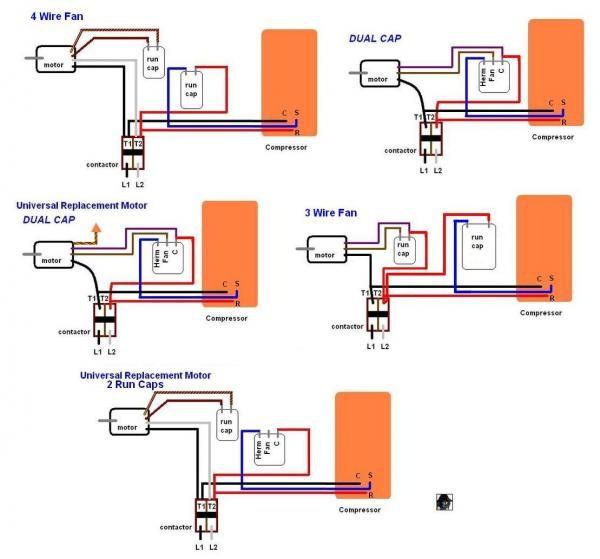
Many furnaces use a capacitor to help the blower motor start and run efficiently.
Locate the Capacitor
It’s a small cylindrical component (about 1–2 inches wide) connected to the motor. Usually black or silver, with 2–3 terminals.
Visual Signs of Failure
- Bulging top
- Leaking oil residue
- Burn marks
These indicate a failed capacitor that needs immediate replacement.
Testing (For Pros Only)
Capacitors store high voltage even when power is off. Only trained technicians should test with a multimeter or discharge tool.
DIY Warning: Never touch capacitor terminals. Risk of severe shock is real.
Identify Motor Failure Signs
When all other checks pass, the motor itself may be dead.
Common Symptoms
- Motor warm but fan not spinning
- Burnt odor (like hot wires or plastic)
- Discoloration on motor casing
- No voltage reaching motor (verified with meter)
Types of Blower Motors
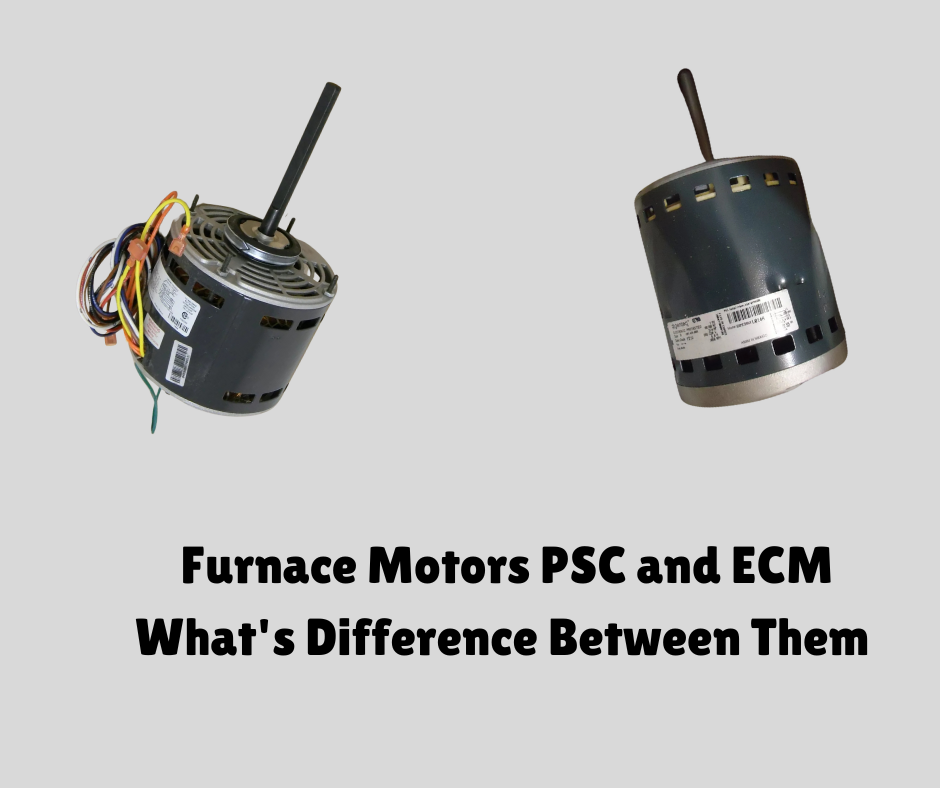
- PSC (Permanent Split Capacitor): Older, less efficient. Common in older furnaces.
- ECM (Electronically Commutated Motor): Modern, variable speed, energy-efficient. More expensive to replace.
An ECM motor may fail due to control board issues, not just motor wear. Diagnosis requires specialized tools.
Check Safety Switches and Wiring
Furnaces have multiple fail-safes that cut power to the fan.
Door Interlock Switch
Most furnaces shut off power when the access panel is open. Ensure the door is fully closed and the switch is not broken. Press the switch manually. If the fan starts, the door isn’t seating properly.
Flame Sensor and Pressure Switch (Gas Furnaces)
While these primarily affect burners, a failed sequence can prevent the blower from running on a call for heat. If the furnace lights but the fan won’t start after heating, the delay may be due to a faulty control board or temperature sensor.
Inspect Wiring Connections
Look for:
- Loose wires at the motor or control board
- Corrosion or burnt insulation
- Rodent damage
Tighten terminals and replace damaged wires. If unsure, call a technician.
When to Call an HVAC Technician
Some repairs go beyond DIY safety and skill.
Call a Pro If:
- Breaker trips repeatedly
- You smell burning or see smoke
- Capacitor is damaged
- Motor is hot, discolored, or stuck
- ECM motor or control board is suspect
- System has gas components involved
Licensed HVAC technicians have the tools and training to diagnose electrical faults, test motor windings, and safely replace high-voltage components.
🔧 Never bypass safety switches. Doing so risks fire, carbon monoxide exposure, or equipment damage.
Prevent Future Fan Motor Failures
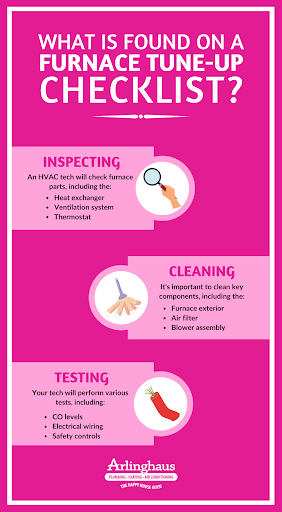
Avoid repeat breakdowns with simple maintenance.
Change Filters Regularly
Every 1–3 months. It’s the #1 way to prevent overheating and motor strain.
Schedule Annual Tune-Ups
A professional inspection catches small issues like worn bearings or weak capacitors before they cause failure.
Keep Vents and Registers Open
Blocking airflow forces the motor to work harder. Avoid closing more than 20% of vents.
Clean Blower Assembly Annually
During maintenance, remove and clean the blower wheel and housing. Dust buildup unbalances the fan and wears out the motor.
Frequently Asked Questions About Heater Fan Motor Issues
What is the first thing to check if my heater fan motor is not working?
Start with your thermostat and circuit breaker. Ensure the thermostat is set to “Heat” and the breaker hasn’t tripped. These are the most common and easiest fixes.
Can I replace a heater fan motor myself?
DIY heater fan motor repair is not recommended. It involves working with high-voltage electricity and specific wiring that varies by model. Incorrect installation can damage your system or void your warranty.
How do I tell if it’s a bad capacitor or a bad fan motor?
If the fan hums but doesn’t spin, the capacitor has likely failed. If the fan is silent, hot to the touch, or smells like burning, the motor itself is probably the problem.
Is it safe to run my heater if the fan isn’t spinning?
No. Running the heater without the fan causes the heat exchanger to overheat and can trigger safety lockouts or damage internal components. Turn the system off immediately.
How much does it cost to fix a heater fan motor?
Costs vary widely. A simple capacitor replacement is relatively affordable, while replacing a blower motor is a more significant investment. Contact a local HVAC dealer for an accurate quote.
Key Takeaways for Fixing a Non-Working Heater Fan Motor
A heater fan motor not working doesn’t always mean replacement. Start with simple checks like the thermostat, breaker, and air filter before moving to safety devices, airflow, and electrical components. Many issues resolve without cost. When motors, capacitors, or control boards fail, professional repair ensures safety and long-term performance. Check your filter today, and if the problem persists, schedule a tune-up before the next cold snap hits.