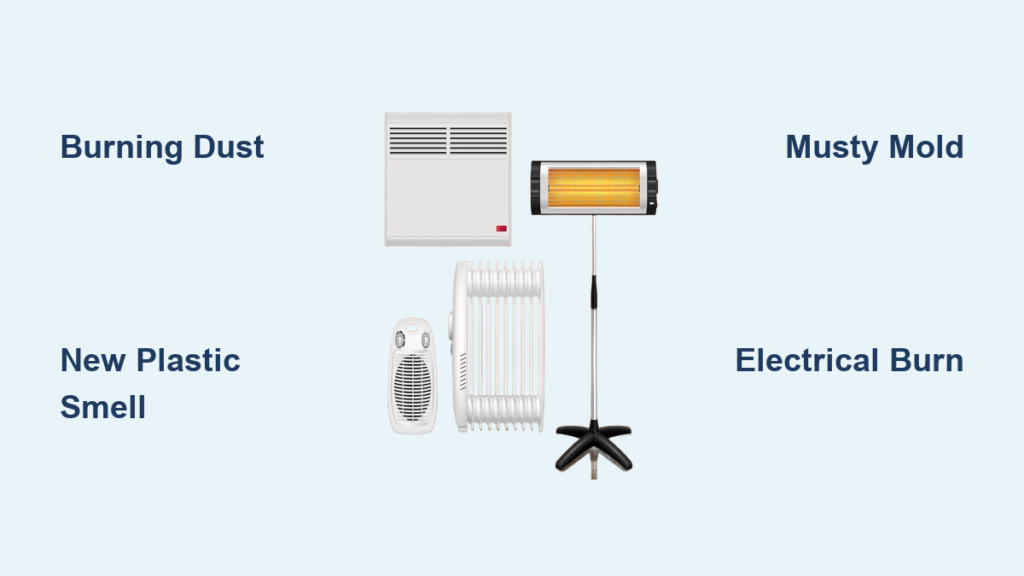
You turn on your space heater, feel the warmth coming from the unit, but no air blows from the vents. The fan simply refuses to spin. This is a frustrating and potentially dangerous situation. When your space heater fan is not working, the heating element may function, but without airflow, heat distribution fails and overheating risks increase significantly. This guide walks you through every diagnostic step and repair option to get your heater blowing warm air again safely.
You’ll learn how to identify the exact cause, perform the necessary fixes, and determine whether repair or replacement makes more sense for your situation.
Check Power & Safety First
Before disassembling anything, rule out simple external causes that can prevent the fan from starting.
Test the Outlet and Cord
Plug the heater directly into a wall outlet. Never use an extension cord for testing, as undersized cords can cause startup failures that mimic internal problems.
Test the outlet with another high-wattage device like a hair dryer to confirm it delivers power.
Inspect the power cord for visible damage including kinks, fraying, or burn marks near the plug.
If the outlet is a GFCI type, press the Reset button to restore power.
Unplug and Cool Down
Always unplug the heater before any inspection or repair work.
Allow at least 30 minutes for the unit to cool completely if it was running recently.
Overheating triggers safety switches that disable the fan until temperatures return to normal levels.
Inspect for Dust and Blockages
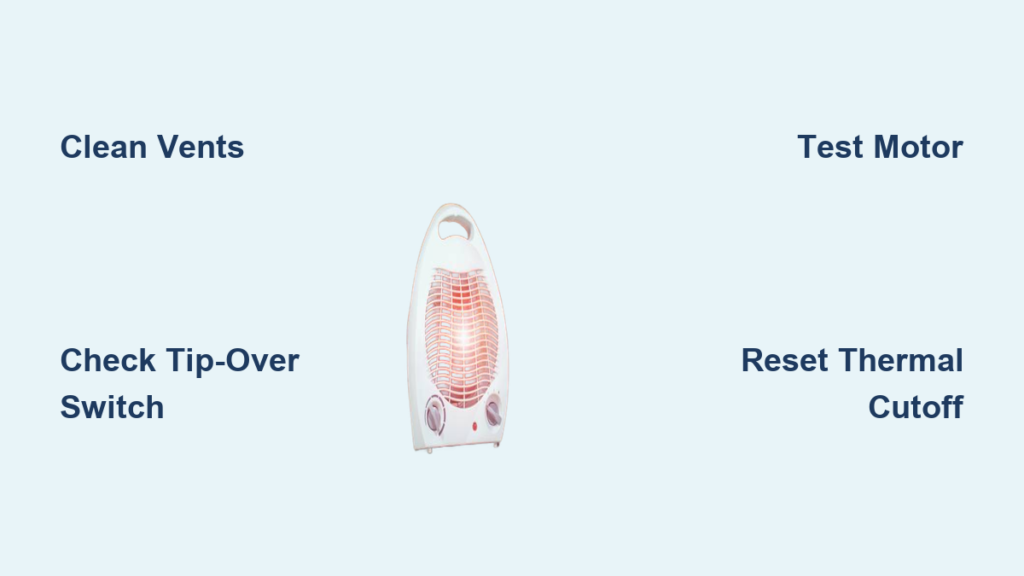
Dust, pet hair, and debris are the most common reasons a space heater fan stops working. These particles clog fan blades, bind motor shafts, and restrict airflow needed for proper operation.
Clean Air Intake and Output
Use a vacuum with a brush attachment to clean the intake vents, usually located at the base or sides of the unit.
Clean the exhaust grille on the front or top where warm air exits.
If your model includes a removable filter, take it out and rinse with warm water.
Allow the filter to dry completely overnight before reinstalling. Never put a damp filter back in a running heater.
Free a Jammed Fan
Remove the outer casing following the disassembly steps below.
Locate the fan assembly, typically secured with three screws.
Check if visible lint or hair is wrapped around the blades or blocking rotation.
Try rotating the fan blade by hand. If it does not spin freely, further cleaning is needed.
Lubricate Motor Bushings
Use compressed air to blow dust from the motor housing and shaft area.
Apply one drop of lightweight machine oil to each bushing if the fan still feels stiff.
Do not over-oil, as excess oil attracts more dust and creates buildup.
Diagnose the Fan Motor
If cleaning does not restore fan operation, the motor itself may be failing. This is a common issue in older units or those used frequently in dusty environments.
Test for Manual Resistance
With the heater unplugged, try rotating the fan blade manually.
A smooth spin suggests the motor issue is electrical rather than mechanical.
A stiff or seized feel indicates damaged motor bearings or accumulated debris in the housing.
Use a Multimeter to Check Continuity
Disconnect the motor wires and set your multimeter to resistance mode.
Place the probes on the motor terminals.
A reading between 10 and 100 ohms indicates good winding integrity.
Infinite resistance means an open circuit and a dead motor that requires replacement.
A faint hum without fan movement often indicates a seized motor or failed start winding.
Replace the Fan Motor
Unplug and remove the fan assembly from the housing.
Disconnect the wiring, noting the polarity if applicable.
Install a compatible replacement motor from the manufacturer or a cross-referenced equivalent.
Reassemble the unit and test in fan-only mode first before running heat.
Inspect the Tip-Over Cut-Off Switch
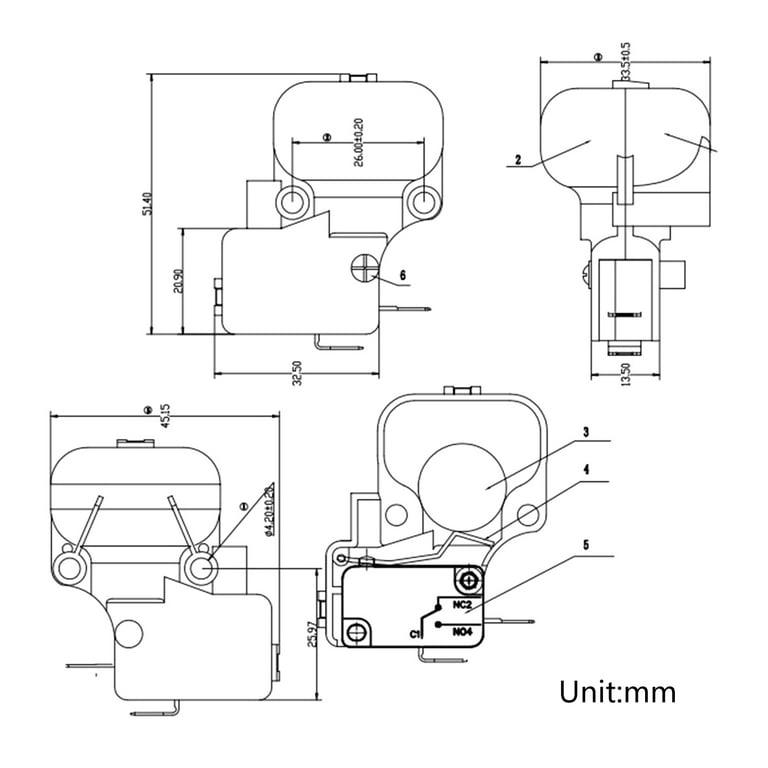
This safety switch disables the heater if it tilts or tips over. A failed switch is responsible for up to 99% of fan issues in some models, even when the heater appears to power on normally.
Locate and Test the Switch
Find the switch at the base of the heater, usually a small lever or plunger mechanism.
Press the switch. You should hear a distinct click when it activates.
No click means the switch has likely failed and needs replacement.
Test with a Multimeter
Disconnect one wire from the switch and set the multimeter to continuity.
Test while the heater is upright and then while tilted.
The switch should show continuity when upright and no continuity when tilted.
Replace the Switch
Purchase an identical replacement switch rated for the same voltage and current.
Disconnect the old wires, install the new switch, and reconnect everything.
Test by powering on and gently tilting the unit. It should shut off immediately when tilted.
Reset the Thermal Cutoff
Overheating triggers a thermal fuse or bimetallic switch that cuts power to prevent fire hazards. This affects both the heating element and often the fan motor.
Identify the Type
A resettable switch appears as a red button on the base or rear of the unit.
A one-time thermal fuse has no button and must be replaced when it blows.
Reset Procedure
Unplug the heater and wait 20 to 30 minutes for cooling.
Press the red reset button if your model has one.
Plug back in and test operation.
If no reset button exists and the heater still will not run, the thermal fuse has likely blown and needs professional replacement.
Prevent Future Trips
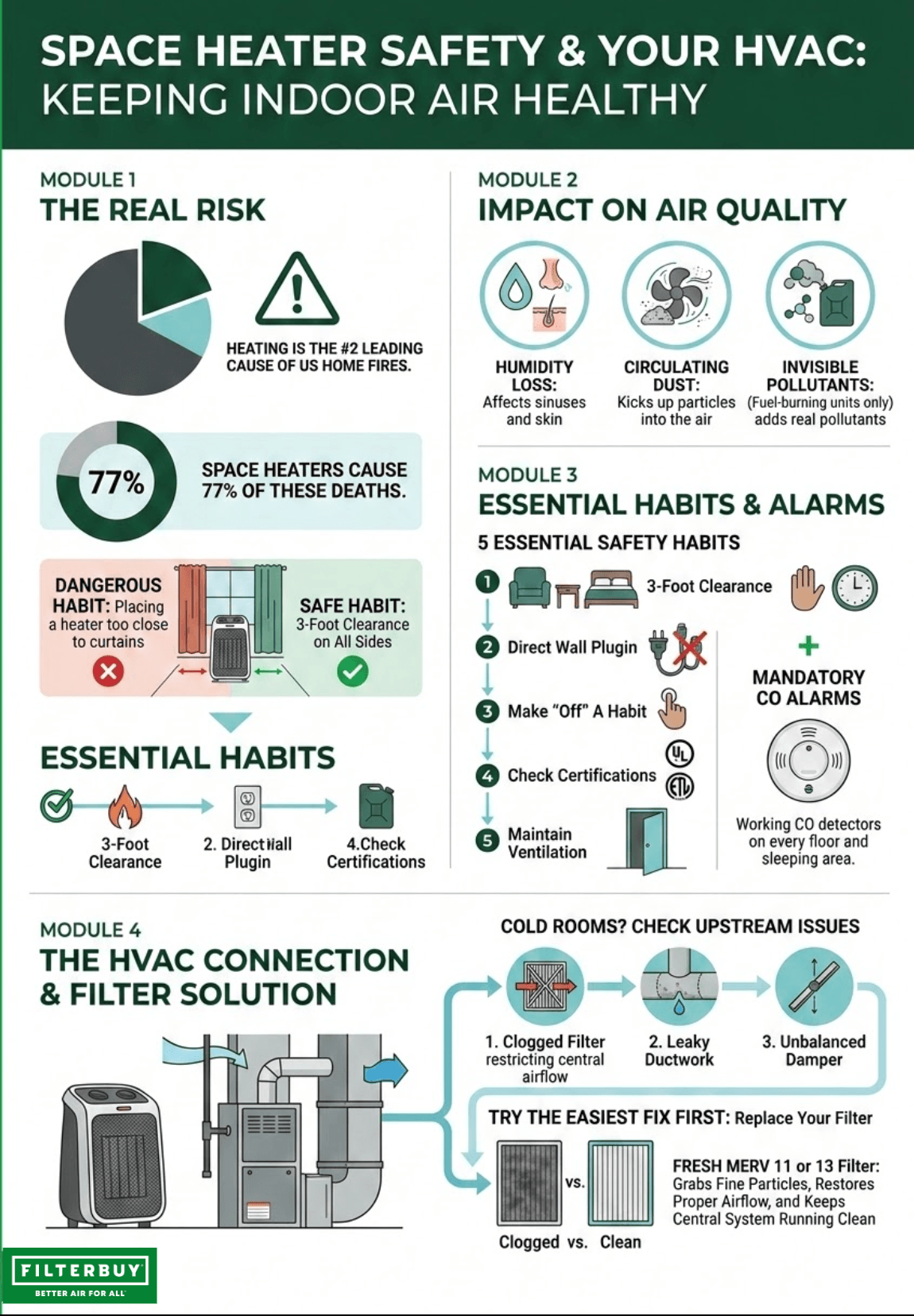
Maintain at least 3 feet of clearance from walls, furniture, and curtains.
Avoid placing the heater on thick rugs or near fabric obstructions.
Clean the unit every one to two weeks in dusty environments to maintain airflow.
Check for Wiring Damage
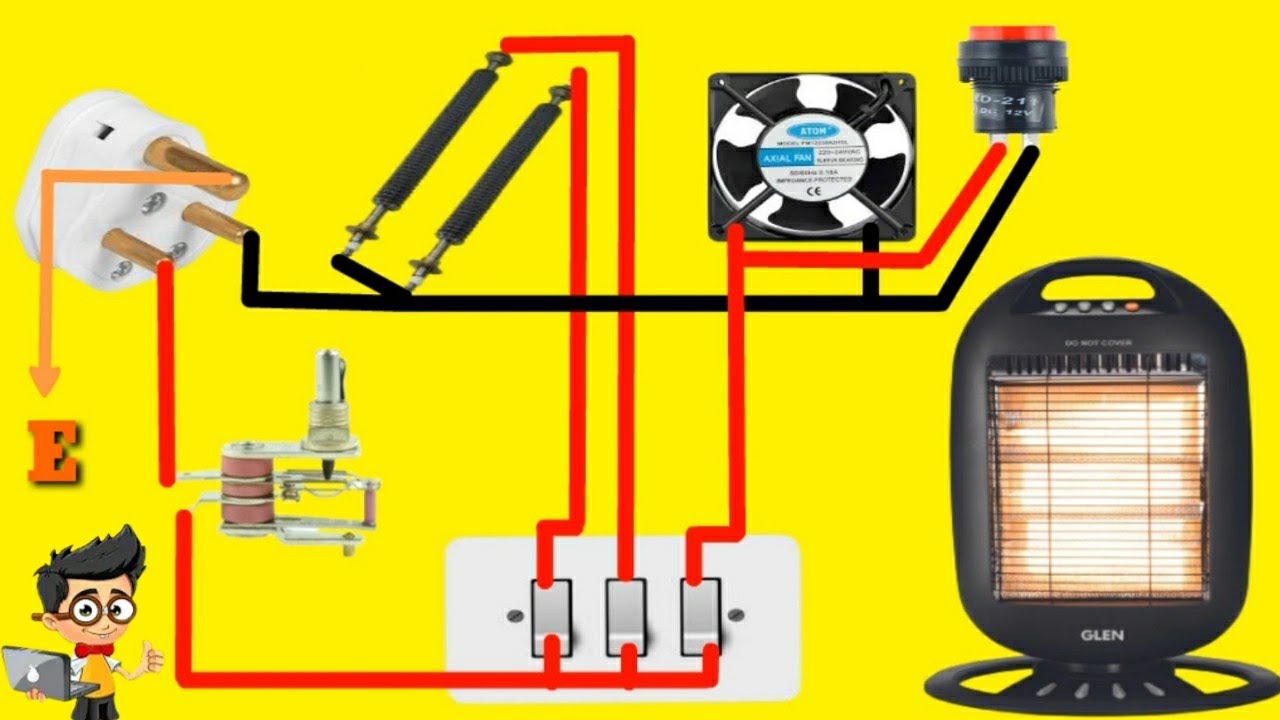
Internal wire breaks are a frequent hidden cause of fan failure, particularly in older or heavily used units.
Open the Unit Safely
Unplug and allow the heater to cool for at least 30 minutes.
Remove all screws, which are often hidden under labels or rubber feet.
Use a wide-blade jeweler’s screwdriver for any triangle security screws.
Gently pry the casing apart with even pressure to avoid cracking plastic.
Inspect Key Wiring Points
Look for burnt or severed wires, especially the red wire running from the tip-over switch to the heat-setting switch.
Check for greenish discoloration at break points, which indicates prolonged overheating.
Focus on connections near the tip-over switch, thermal cutoff, and fan motor terminals.
Repair a Broken Wire
Strip insulation from both ends of the damaged wire section.
Splice in an 18 AWG replacement wire of equal length.
Secure the connection with crimped terminals for durability, or solder and cover with heat-shrink tubing for the best permanent repair.
Test the Control Board and Thermostat
Digital controls can misfire and disable the fan even when all settings appear correct on the display.
Reset the Thermostat
Turn the temperature dial to maximum heat to override any eco-mode settings.
Unplug the heater for five minutes, then restart.
Try fan-only mode if your model offers this setting.
Check for Error Codes
Some models display error codes like Err, F1, or blinking lights.
Consult the manufacturer’s code chart to interpret what the display indicates.
Inspect the Remote Sensor
Many thermostats use a small wire bead temperature sensor.
If placed too close to the heater body, it reads falsely high temperatures and shuts off prematurely.
Reposition the sensor away from direct heat if possible.
Verify Electrical Supply
Even minor power issues can prevent the fan motor from starting properly.
Eliminate Extension Cords
Plug directly into a wall outlet for testing.
If you must use an extension cord temporarily, ensure it is 14-gauge or thicker and rated for 15 amps or 1875 watts.
Use the shortest possible cord length to minimize voltage drop.
Check the Circuit Breaker
Locate your electrical panel and check for a tripped breaker affecting the heater circuit.
Reset the breaker if needed.
Avoid running the space heater on the same circuit as other high-wattage appliances.
When to Replace vs. Repair
Use this guide to decide whether fixing your heater makes economic sense.
| Unit Age | Repair If | Replace If |
|---|---|---|
| Under 2 years | Reset, cleaning, or switch fix resolves the issue | Melted wiring, cracked ceramic, or burnt motor |
| 2 to 5 years | Cleaning or sensor replacement restores function | Repair costs exceed 60% of a new model price |
| Over 5 years | Zero-cost fix like reset or cleaning works | Recurring issues or outdated safety features |
Newer models offer quieter fans, smart thermostats, and improved airflow design that may justify replacement.
Safety Rules You Must Follow
Always unplug the heater before servicing any component.
Never bypass the tip-over switch or thermal fuse with tape or spacers. These are critical fire safety features.
Use high-temperature rated wire for any electrical repairs.
After repair, monitor the unit for at least 30 minutes watching for smoke, unusual smells, or excessive heat.
Place the heater on a hard, flat surface with minimum 3 feet clearance from all sides.
Ensure working smoke and carbon monoxide detectors are installed nearby.
Replace units with cracked casings or frayed power cords immediately.
Frequently Asked Questions About Space Heater Fan Not Working
Why does my space heater turn on but the fan does not spin?
This usually indicates the heating element is working but the fan motor is not receiving power. Common causes include dust buildup jamming the motor, a failed tip-over switch, a tripped thermal cutoff, or wiring issues preventing electricity from reaching the fan.
Can I use my space heater without the fan working?
Running a space heater without a functioning fan is inefficient and potentially dangerous. Without airflow, heat cannot distribute properly, leading to localized overheating that may trigger safety shutoffs or create fire hazards. Use the heater only after restoring fan function.
How much does it cost to replace a space heater fan motor?
Replacement fan motors typically cost between $15 and $40 depending on your model. If professional labor is required, expect to pay $50 to $100 per hour. Consider replacement if repair costs exceed 50 to 60% of a new unit price.
How do I clean dust from inside my space heater?
Unplug the heater and let it cool for 30 minutes. Remove the outer casing screws and separate the housing. Use compressed air or a soft brush to clean fan blades, the motor shaft, and intake vents. Apply one drop of lightweight machine oil to motor bushings if they feel dry.
What does it mean if my space heater fan makes a humming noise?
A humming sound with no fan movement typically indicates the motor is receiving power but cannot start. This often means seized motor bearings, a failed start winding, or mechanical binding from accumulated debris. Clean the motor and test again, or replace if the motor tests faulty with a multimeter.
Should I repair or replace a space heater over 5 years old?
For units over five years old, repair only makes sense for zero-cost fixes like resetting thermal cutoffs or cleaning dust. If the motor, heating element, or control board fails, replacement is usually the better choice because newer models offer improved safety features, energy efficiency, and quieter operation.
Key Takeaways for Fixing Your Space Heater Fan
A non-working space heater fan usually stems from dust accumulation, failed safety switches, or motor problems. Start with the simplest fixes by cleaning intake vents, resetting thermal cutoffs, and verifying the outlet works properly. Use a multimeter to test components rather than guessing, which prevents unnecessary part purchases.
Prioritize safety at every step. Never bypass critical safety switches like the tip-over or thermal cutoff mechanisms, as these prevent fire hazards. If you encounter scorched wiring, persistent error codes, or metallic burning smells, consult a qualified technician rather than attempting further DIY repairs.
For units under two years old, most fan issues resolve with cleaning or minor switch replacement. Older units with recurring problems or repair costs exceeding half the price of a new heater should be replaced entirely for better efficiency and safety.