
If your Dyson heater won’t turn on, isn’t heating properly, or shows no signs of life, you’re not alone. Many owners of older models like the AM09 and HF1 encounter sudden failures that seem to come out of nowhere. While these heaters are built with advanced safety features, internal electronic components can fail in ways that go beyond simple fixes. Understanding your repair options before reaching for a screwdriver can save you time, money, and frustration.
This guide walks you through Dyson’s service network, warranty rules, repair timelines, and the technical reasons why some failures simply can’t be fixed. You’ll also learn how to distinguish between user-serviceable issues and those requiring professional intervention.
Accessing Dyson Service Centers and Support
Dyson offers several ways to get help, but choosing the right channel from the start prevents unnecessary delays.
Walk-In Service Center Benefits
Dyson Service Centers let you drop off your heater in person without an appointment. Engineers assess the unit on-site and recommend repair options before any work begins. Many repairs are completed while you wait, though complex issues or missing parts can extend the process by 5 to 10 business days.
These centers also showcase live demos, let you test newer models, and stock genuine accessories. If you’re in Colorado, the Centennial Service Center at 9623 East County Line Road, Unit D, provides full diagnostic and repair services during weekday hours. Check their Google listing for the most current schedule.
Remote Support Options
Before visiting or shipping your unit, reach out through chat, phone, or WhatsApp. Dyson experts can guide you through basic troubleshooting, confirm warranty eligibility, and generate prepaid shipping labels for mail-in repairs. This step is essential: you must verify proof of purchase before sending anything. Without it, Dyson may refuse service entirely.
Loaner and Same-Day Repair Availability
Select locations offer same-day repairs and may provide a loaner heater while yours is being serviced. This keeps your home warm during colder months. Availability varies by region, so confirm with your local center ahead of time.
Warranty Coverage: What You Need to Know
Your warranty status determines whether repairs are free or come with a hefty bill.
Duration and Activation Rules
The warranty begins on your date of purchase. If you can’t produce a receipt or order confirmation, Dyson defaults to 90 days after the manufacturing date. Standard coverage includes:
- Full repair or replacement for defects
- Batteries and key components for the same period as the unit
- A 1-year warranty on any parts installed during repair
If your heater is in for service, the original warranty extends by the number of days it’s out of your hands. However, repairs do not reset or extend the total warranty life.
Proof of Purchase Is Non-Negotiable
No receipt means no service. Dyson requires documentation to validate claims. When shipping a unit, contact support first to confirm eligibility. Skipping this step could result in your heater being returned at your expense or denied outright.
Counterfeit Units Face Immediate Rejection
Dyson inspects every returned unit for authenticity. If yours turns out to be counterfeit, the company will refuse repair, return or destroy the unit, and send a verification letter you can use to dispute charges with your credit card company. These units pose serious fire and safety risks.
Liability and Regional Protections
Dyson caps liability for indirect damages like lost business or compromised data at the purchase price of the unit. California residents receive additional protections under state law, including the right to a written estimate before work begins, the ability to reject overcharges, and entitlement to replacement or refund after repeated failed repairs.
Repair Timeline, Costs, and Payment Process
Knowing what to expect helps you plan and avoid surprises.
Turnaround Times by Service Type
- Shipped repairs: 14 to 21 working days, including transit and return shipping
- On-site drop-offs: Often same-day, but may extend 5 to 10 days if parts are unavailable
If delays occur, Dyson must notify you within 72 hours. However, the company isn’t liable for extended timelines caused by high service volume or part shortages.
Repair Costs and Accepted Payments
Out-of-warranty repairs require an inspection and cost estimate. You must approve the quote before work begins.
- Under warranty: No charge, and return shipping is covered
- Out of warranty: You pay return shipping even if you reject the quote
Approved repairs are paid instantly via Pay Via Chat, a secure link sent to your phone. Only Visa, Mastercard, and American Express are accepted. Sales tax applies based on your shipping address.
The 60-Day Abandonment Rule
If you don’t claim your repaired heater or pay outstanding charges within 60 days of notification, Dyson can sell or dispose of the unit and retain it to cover unpaid fees. Keep your contact details updated to avoid missing critical notifications.
Model-Specific Features and Specifications
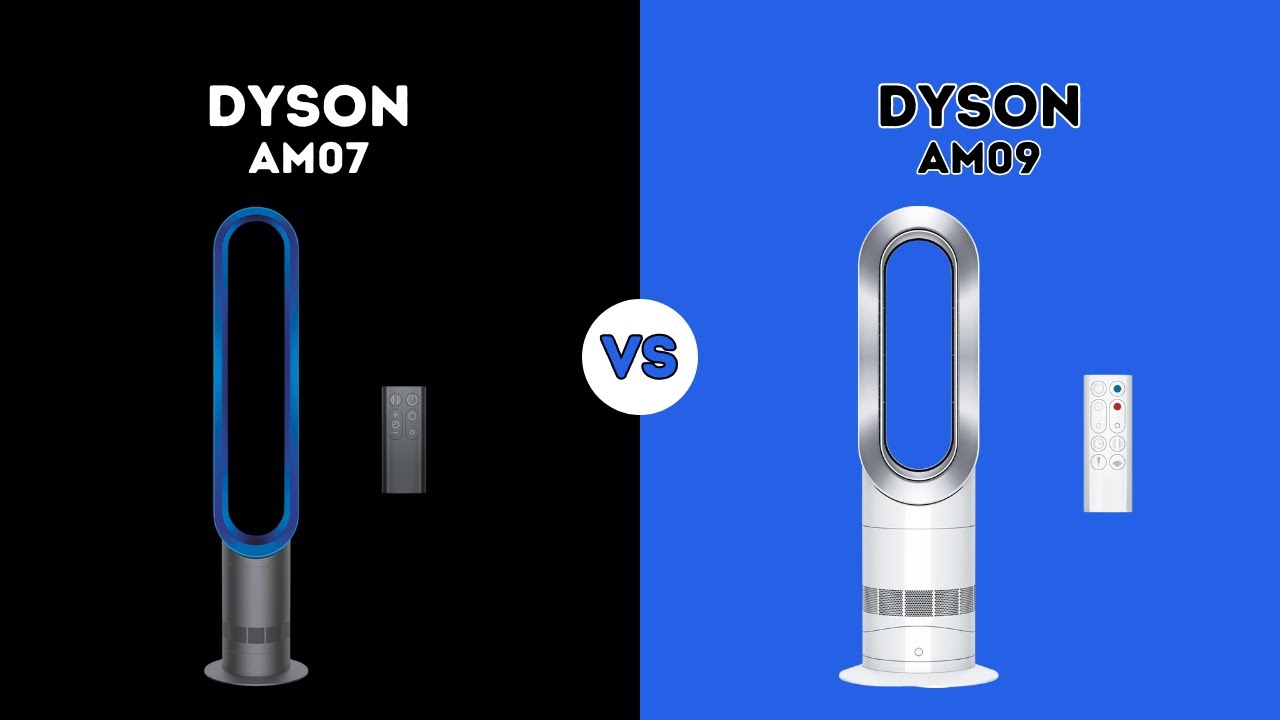
Repair options vary significantly depending on which Dyson heater you own.
HF1 Rapid React: Speed and Efficiency
The Dyson Hot+Cool HF1 uses Rapid React Technology to warm rooms up to 25% faster than standard heaters. It adjusts output automatically, circulates air in 360 degrees, and runs in ultra-quiet mode. Energy use is up to 40% less than traditional fan heaters.
AM09: Precision Control with V9 Motor
The AM09 features the Digital Motor V9 for precise temperature management and auto-sensing mode. It includes energy-saving settings, oscillation, and a cool-touch exterior. Rated at 120V, 60Hz, and 12.5A, it’s certified by Intertek for U.S. outlets.
AM05 and AM04: Compact Designs
The AM05 is a smaller, lightweight option with dual heat settings and an LED display. The AM04 offers auto-adjust temperature control and simple operation. Both include overheat protection and quiet performance, but neither has filters.
Key Insight: None of these models (AM04, AM05, AM09, or HF1) have washable or replaceable filters. Dust on intake grilles is not a filter issue.
Diagnosing No-Power Failures

When your Dyson heater shows no lights and won’t respond, the problem is usually severe and often beyond repair.
Internal Inspection Protocol
To examine the unit internally:
1. Remove the top housing by releasing a side tab with a small screwdriver
2. Undo one half-turn screw
3. Disconnect the heater assembly by depressing the locking tab on the spade connector while pulling
4. Remove the base by undoing two screws and a plastic retainer clip
Warning: Only trained users should open the unit. High-voltage components are present.
Critical Failure Signs on the Control Board
Look for these red flags during inspection:
- Black burn marks near the power input area
- Cracked or discolored motor driver IC (SMA6822M)
- Blown traces on the neutral side of the circuit
- Shorted microcontroller (Renesas R5F212L) with resistance below 10 ohms between VCC and ground
Why These Failures Are Often Fatal
The damage typically follows a cascade:
1. The SMA6822M motor driver IC fails short-circuit
2. A voltage surge travels through the board
3. Sacrificial resistors like R53 burn out
4. The microcontroller is destroyed, taking proprietary firmware with it
Even if you replace the IC, the unit won’t boot without the original firmware, which Dyson does not release. Replacement boards for older models are discontinued, and no third-party cloning options exist.
Fan Runs But No Heat? Check These Components

If the fan spins but no warm air comes out, the issue lies in the heating system, not the motor.
The Filter Myth
Many users assume a dirty filter is to blame. In reality, Dyson heaters do not have filters. There’s nothing to wash or replace. Dust on intake vents may slightly reduce airflow, but it won’t stop heating entirely.
Likely Causes of Heat Failure
- Faulty heating element: Test with a multimeter or visual inspection
- Blown thermal fuse: Check continuity with a multimeter
- Internal wiring fault: Look for loose or burnt connections
These repairs require disassembly and testing by a qualified technician.
Safety Shutdowns vs. Permanent Failure
All Dyson heaters include overheat protection that triggers automatic shut-off. If airflow is blocked, the unit powers down as intended. However, if shutdowns repeat with clear vents or the unit fails to restart after cooling, you’re likely dealing with a component failure, not a safety feature.
Maintenance: What You Can Safely Do
Proper care extends the life of your heater, though your options are limited.
Safe Cleaning Practices
- Wipe the exterior with a dry or slightly damp cloth
- Use a soft brush to remove dust from air intakes
- Never use water, solvents, or compressed air
Avoid operating the heater in dusty environments like construction zones to reduce internal buildup.
Surge Protection Prevents Failures
The SMA6822M IC is highly sensitive to voltage spikes. Always plug your Dyson heater into a surge protector, especially in areas with unstable power. This single step can prevent catastrophic board failure.
Avoid DIY Electronics Repairs
Dyson does not release schematics, firmware, or repair manuals to the public. Attempting board-level fixes often causes permanent damage. Stick to external cleaning and leave internal issues to certified technicians.
Genuine Parts vs. Counterfeits
Using authentic parts matters for both safety and warranty compliance.
Where to Buy Genuine Parts
- Dyson Replacement Parts website
- Authorized Service Centers
- Dyson Direct via app or support
Every replaced part comes with a 1-year warranty.
Spotting Counterfeit Units
Dyson checks for these red flags during service intake:
- Poor plastic quality or misaligned seams
- Incorrect logos or labeling
- Internal components that don’t match official specifications
- Missing or fake certification marks
If your unit is identified as counterfeit, Dyson may destroy it and send a verification letter to help you dispute charges.
Frequently Asked Questions About Dyson Heater Repair
Do Dyson heaters have filters that need cleaning?
No. Models including the AM04, AM05, AM09, and HF1 do not have washable or replaceable filters. Dust on intake vents may reduce airflow slightly but won’t stop heating. Clean the exterior with a dry cloth and use a soft brush on vents.
Why won’t my Dyson heater turn on at all?
Total power failure usually points to a damaged motor driver IC or microcontroller on the control board. Look for burn marks or test resistance between VCC and ground on the microcontroller. Readings below 10 ohms indicate failure. These issues are often beyond economical repair.
Can I repair my Dyson heater myself?
External cleaning is safe and recommended. However, internal repairs require technical training, proprietary firmware, and genuine parts that Dyson doesn’t sell to the public. Attempting board-level fixes usually causes permanent damage.
How long does Dyson heater repair take?
Shipped repairs take 14 to 21 working days. Walk-in drop-offs are often completed same-day but may extend 5 to 10 days if parts are unavailable. Dyson notifies you within 72 hours if delays occur.
Will Dyson repair counterfeit heaters?
No. Dyson inspects every returned unit and refuses service on counterfeit models. These units may be returned, destroyed, or retained, and you’ll receive a verification letter to dispute charges with your seller or credit card company.
Is it worth repairing an older Dyson heater?
For mechanical issues like oscillation or housing damage, repair makes sense. For electronic failures on discontinued models, replacement is usually cheaper. Newer models offer better efficiency, smart features, and full warranty coverage.
Final Verdict on Dyson Heater Repair
Dyson heater repair is realistic for mechanical problems and heating component failures, but electronic issues on discontinued models are usually fatal. The SMA6822M motor driver and Renesas microcontroller failures cascade in ways that even skilled technicians can’t reverse without proprietary firmware.
Focus on prevention: use surge protectors, keep vents clear, and contact Dyson support at the first sign of trouble. They’ll verify your warranty, provide realistic repair timelines, and help you decide whether fixing or replacing makes more sense. If your unit shows burn marks or total power failure on an older model, start shopping for a replacement rather than investing in a repair that may never succeed.