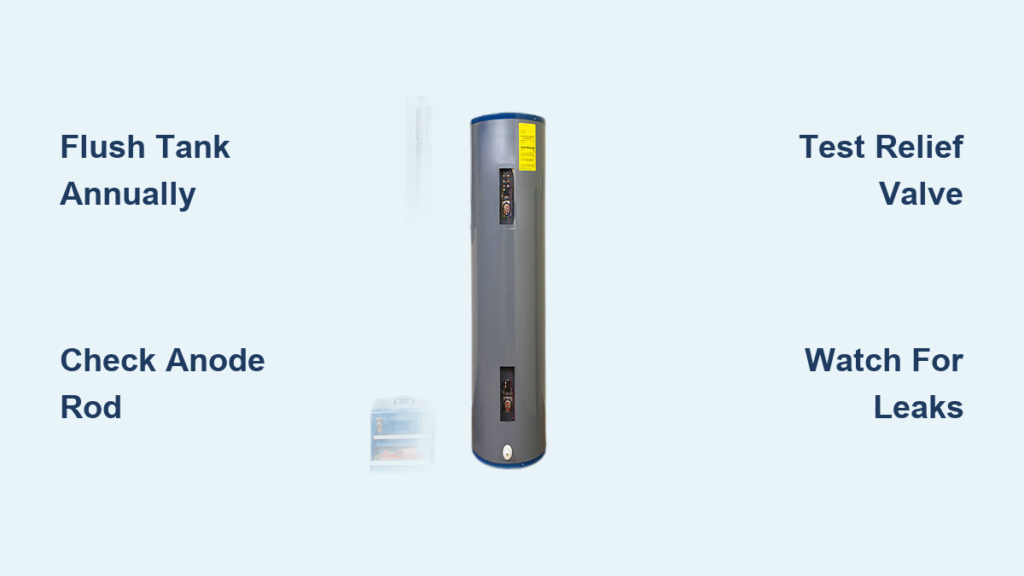

You wake up ready for a hot shower, only to find cold water pouring out. If you have an electric tank water heater, the culprit might be a tripped safety switch, one that can often be fixed in minutes. The reset button on your water heater is a built-in safety feature designed to cut power when the water gets too hot, preventing damage or danger. Knowing how to reset a water heater properly can restore hot water fast, without a service call.
This guide walks you through the exact steps to safely reset your electric water heater, diagnose common causes of tripping, and recognize when it is time to call a professional. Whether the issue was a power surge or a failing thermostat, you will learn what to do and what to avoid to get your system back online.
🔌 Important: This procedure applies only to electric tank water heaters. Gas, tankless, and hybrid models use different mechanisms and do not have a reset button.
Locate the Electrical Panel

Before touching the water heater, safety starts at the circuit breaker. Electricity and water are a dangerous mix, so always cut power first.
Turn Off the Water Heater Breaker
- Go to your home’s main electrical panel, usually in the basement, garage, or utility closet.
- Find the breaker labeled “water heater.” It is typically a double-pole 30-amp breaker.
- If the switch is on, flip it to off.
– This ensures no power flows to the unit during the reset process. - If the breaker is already off, do not turn it on yet.
– Try flipping it to the on position.- ✅ If it stays on and no tripping occurs, the issue may have been temporary, like a brief power surge.
- ❌ If it immediately trips back off, do not continue. This signals a serious electrical fault. Call an electrician.
⚠️ Never force a breaker to stay on if it keeps tripping. This can overheat wiring and create a fire hazard.
Access the Reset Button

With power safely off, move to the water heater unit itself.
Remove the Access Panel
- Find the access panel on the side of the tank, usually near the middle or upper third.
- Use a screwdriver to remove the screws holding the metal cover.
- Carefully pull back the insulation behind the panel.
– Wear gloves. Fiberglass insulation can irritate skin.
– Do not remove or damage the insulation permanently. It is critical for efficiency.
Identify the Reset Button
- Look for a small red button near the thermostat.
- It is part of the high-limit switch, a safety device that cuts power at around 150°F to 160°F.
- The button is bright red for visibility against the white or black thermostat housing.
🔍 Pro Tip: Some models have two thermostats (upper and lower) and two reset buttons. Check both if your heater has dual elements.
Press the Reset Button
Now that you have located it, it is time to reset the safety switch.
Perform the Reset
- Firmly press the red reset button once.
– You should hear a distinct click, which means the switch has re-engaged. - If there is a second reset button on the lower thermostat, press it the same way.
- Watch for immediate re-tripping:
– If the button pops out again right after pressing, stop.
– This indicates a persistent overheat condition, likely from a failed thermostat or heating element.
❌ Do not keep pressing the button if it will not stay in. Repeated attempts can damage components or bypass safety systems.
Restore Power and Test
Once the reset is complete, restore power and monitor the system.
Reassemble and Re-energize
- Push the insulation back into place.
- Reattach the access panel and tighten the screws.
– Leaving the panel off creates fire and efficiency risks. - Return to the electrical panel.
- Flip the water heater breaker from off to on.
Monitor for Recovery
- Wait 30 to 60 minutes for the water to heat up, depending on tank size (40 to 80 gallons) and element wattage.
- Check a hot water tap:
- ✅ Hot water returns: Success! The reset worked.
- ❌ Still no hot water: Possible failed heating element or thermostat.
- 🔁 Breaker trips again: Call a licensed technician immediately.
🕒 Time Note: Full recovery may take 1 to 2 hours for a full tank. Be patient.
Diagnose Why the Heater Tripped
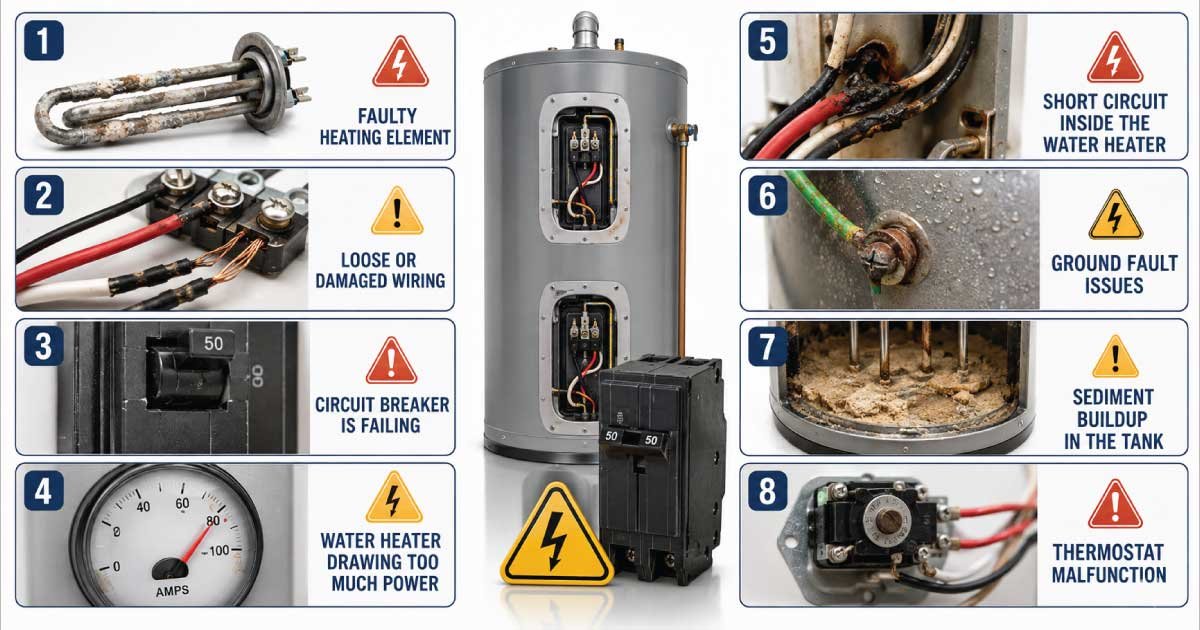
A one-time trip after a storm or power flicker is normal. But recurring issues point to deeper problems.
Faulty Thermostat
- The most common cause of repeated tripping.
- A malfunctioning thermostat fails to shut off the heating element, causing overheating.
- Symptoms include:
- Reset button trips frequently.
- Water is too hot or not hot enough.
- Burned or discolored wiring at the thermostat.
🔧 Fix: Thermostat replacement costs $20 to $50 for parts. Most homeowners can DIY with basic electrical knowledge, or hire a pro for $150 to $250.
Power Surges
- Lightning strikes or grid fluctuations can trigger the high-limit switch.
- Common after storms or blackouts.
✅ Prevention: Install a whole-house surge protector to shield your water heater and other appliances.
Sediment Buildup
- Minerals from hard water settle at the tank bottom.
- Can insulate the lower heating element, causing it to overheat and trip the reset.
🚿 Solution: Flush the tank annually. Shut off power and water supply, attach a hose to the drain valve, and drain 2 to 5 gallons to clear sediment.
Failed Heating Element
- A shorted or grounded element draws excess current, overheating the system.
- Often causes the reset to trip immediately.
🔍 Diagnosis: Requires a multimeter to test continuity. No continuity means a dead element, while low resistance indicates a shorted element.
🛠️ Replacement: Elements cost $15 to $40. DIY replacement is possible but requires draining the tank.
Recognize When to Call a Pro
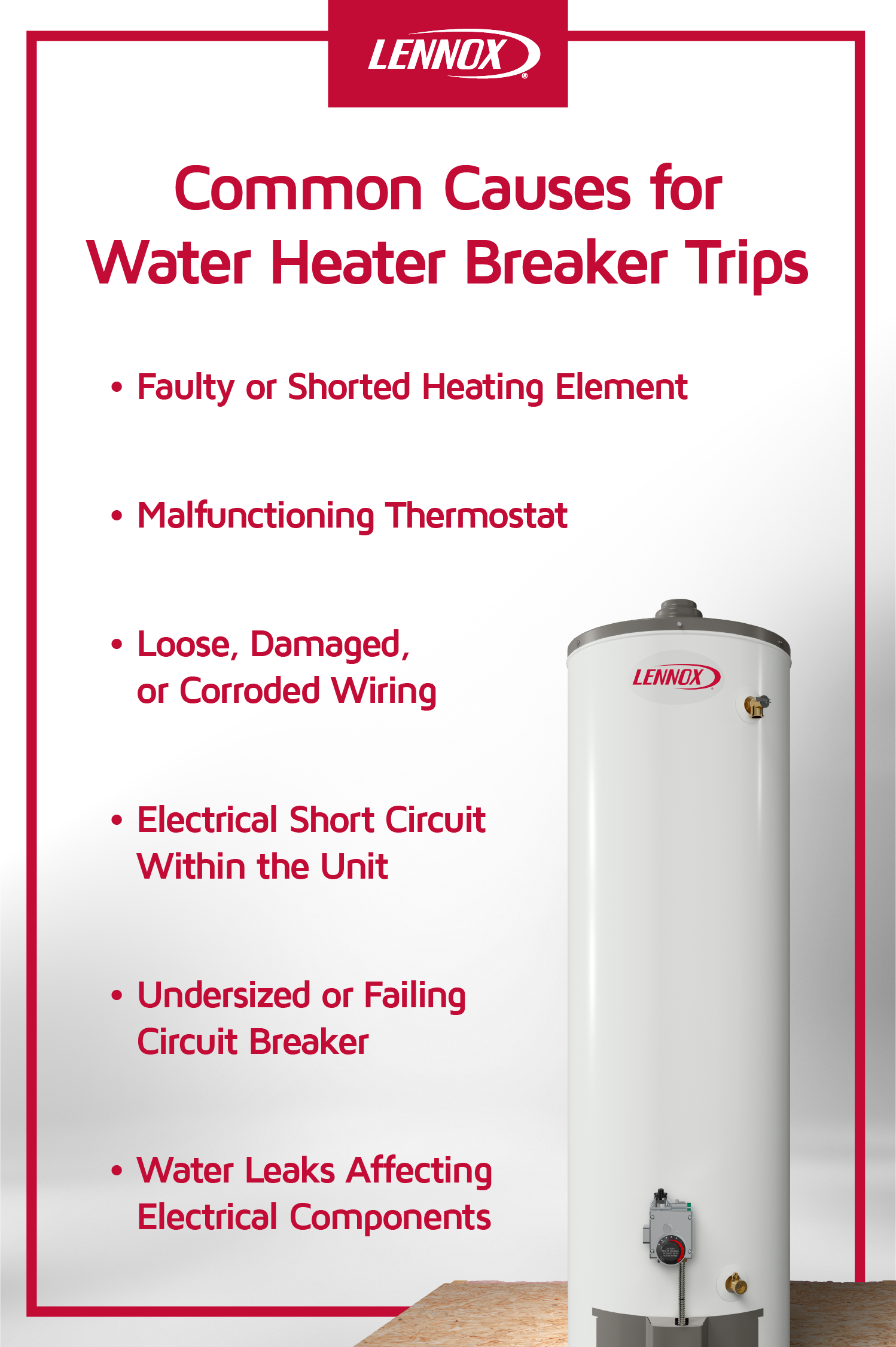
Resetting the button is safe for isolated incidents. But certain red flags mean it is time for expert help.
Immediate Reset Failure
- Button will not stay in or trips seconds after pressing.
- Indicates a hard fault, likely a failed thermostat, element, or wiring issue.
Repeated Breaker Trips
- If the circuit breaker keeps flipping, there is a short circuit or ground fault.
- Risk of fire or electrocution. Do not ignore.
Water Leaks or Rust
- If you see moisture, pooling, or rust around the tank, the problem is not electrical. It is tank failure.
- A leaking tank cannot be repaired and must be replaced.
Unit Over 10 Years Old
- Average lifespan: 8 to 12 years.
- Frequent resets in older units signal end-of-life.
- Replacement is often cheaper than repeated repairs.
💡 Cost Insight: A new electric water heater costs $800 to $1,500 installed. Repairs on aging units may not be worth the investment.
Prevent Future Trips
Avoid cold showers and emergency resets with simple maintenance.
Annual Tank Flushing
- Removes sediment that causes overheating.
- Improves efficiency and extends element life.
- Takes 30 to 60 minutes. Do it every fall.
Test the Reset Button Annually
- Press and release once a year to ensure it is functional.
- Not a substitute for real troubleshooting, but confirms the safety switch works.
Install a Surge Protector
- Protects against voltage spikes from the grid.
- Whole-house units cost $200 to $500 but safeguard all major appliances.
Set Thermostat to 120°F
- Reduces strain on the system.
- Prevents scalding and mineral buildup.
- Most units are pre-set to 140°F. Turn it down.
Final Reset Checklist
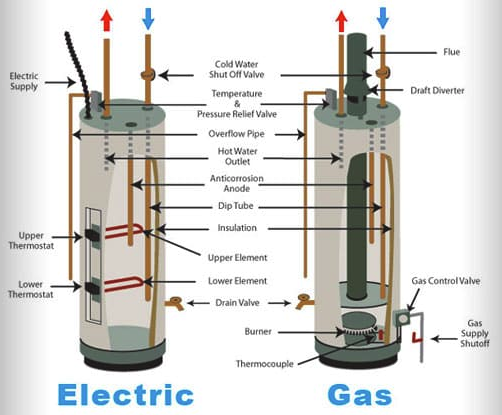
Use this quick reference before and after resetting:
✅ Power is OFF at the breaker
✅ Access panel and insulation removed carefully
✅ Red reset button pressed with a firm click
✅ Second reset button pressed (if dual-element model)
✅ Insulation and panel reinstalled securely
✅ Breaker turned back ON
✅ Waited 30 to 60 minutes for hot water
✅ No leaks, unusual sounds, or re-tripping
Frequently Asked Questions About Resetting a Water Heater
How do I know if my water heater has a reset button?
Only electric tank water heaters have a reset button. It is a small red button located behind the access panel near the thermostat. Gas, tankless, and hybrid models do not have this feature and use different reset mechanisms.
Why does my water heater keep tripping the reset button?
The most common cause is a faulty thermostat that fails to regulate temperature. Other triggers include power surges, sediment buildup insulating the heating element, or a failed heating element drawing excess current.
Is it safe to keep pressing the reset button if it will not stay in?
No. If the button pops out immediately after pressing, stop. This signals a persistent overheat condition or component failure. Continued pressing can damage internal parts or bypass critical safety features.
How long does it take for hot water to return after a reset?
You should notice water warming within 30 to 60 minutes, depending on tank size and element wattage. A full tank may take 1 to 2 hours to reach set temperature.
Can I reset my water heater without turning off the breaker?
You should always turn off the breaker first. Working with the access panel open while power flows to the unit creates a serious risk of electrocution.
When should I call a professional instead of resetting myself?
Call a licensed technician if the breaker keeps tripping, the reset button will not stay depressed, you see water leaks or rust around the tank, or your unit is over 10 years old and requires frequent resets.
Key Takeaways for Resetting Your Water Heater Safely
- The reset button is a safety feature found only on electric tank water heaters.
- Always turn off power at the breaker before accessing internal components.
- A single reset is safe, but repeated tripping means professional help is needed.
- Common causes include a faulty thermostat, sediment buildup, power surges, or aging components.
- If your heater is over 10 years old and trips often, replacement may be the best option.
🔧 You can fix a one-time trip yourself, but do not ignore the warning signs. A water heater that keeps tripping is telling you it needs more than a button press.
By following these steps, you can safely restore hot water and extend the life of your system. But when in doubt, call a licensed plumber or electrician. Your safety is worth more than a few minutes saved.